
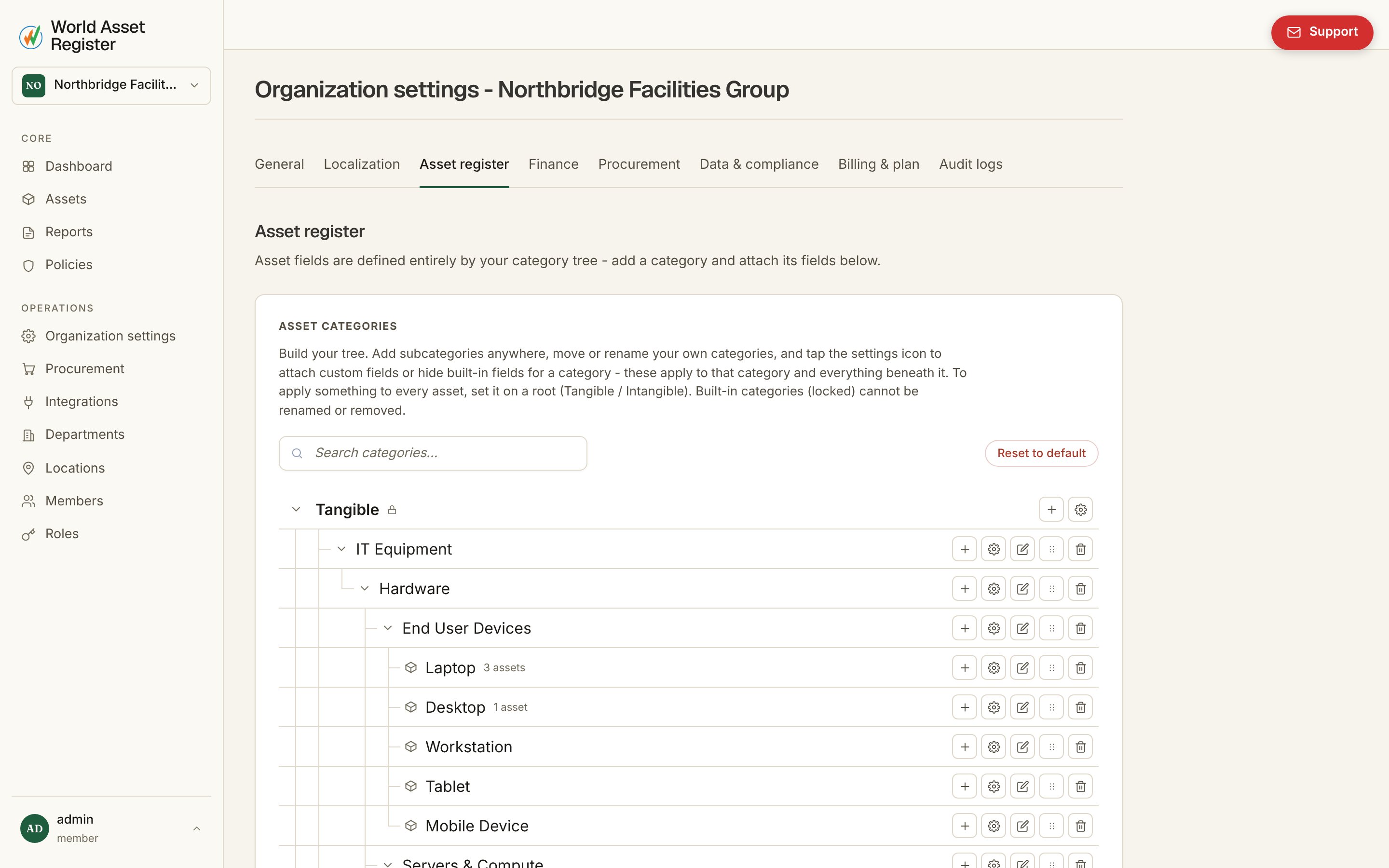
Nothing in World Asset Register is hard-coded to “laptops” or “vehicles.” Every field an asset carries comes from its category, and you control the category tree completely. This is configured under Organisation → Asset register. The category tree editor

The category tree

Categories nest as deep as you like, for instance Tangible → IT Equipment → Laptops → Executive laptops. Two roots, Tangible and Intangible, always exist and can’t be renamed or removed. Everything else is yours. Add subcategories anywhere, rename them, drag them to a new parent, or delete them. Configuration set on a category applies to it and everything beneath it. Set a field on IT Equipment and every category under it inherits it automatically. To apply something to literally every asset, set it on one of the two roots.

Fields for a category

Click the settings icon on any category to open its field editor: Editing fields for a category
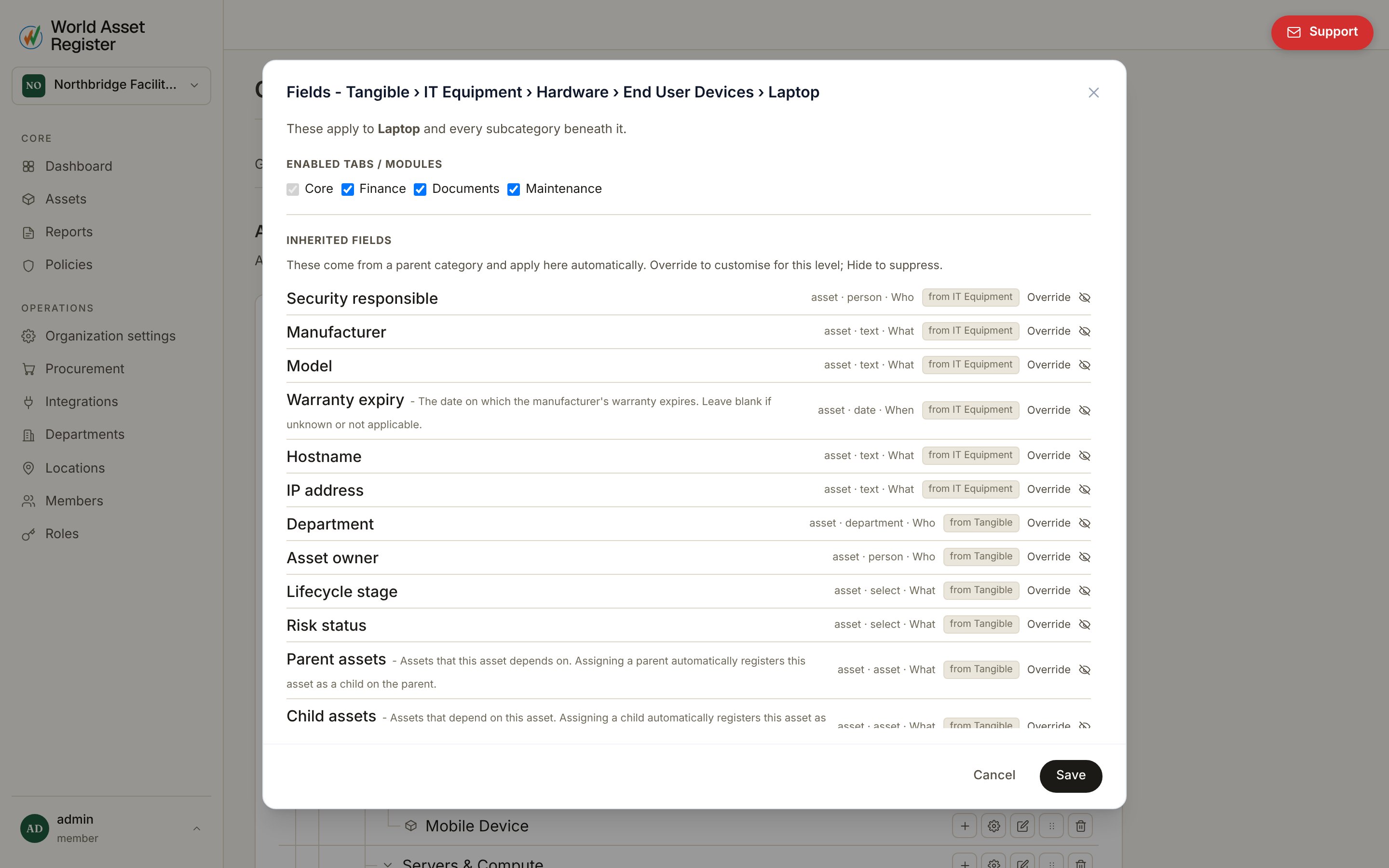
  • Inherited fields: everything the category picked up from its ancestors, shown greyed with a note on where each came from. You can hide an inherited field for this branch of the tree (and everything below it), or override it to create a local copy you can customise independently, with a one-click revert back to the inherited version at any time.
  • Local fields: fields defined on this category itself. Add one with a key, label and type. Remove it and it’s gone for this category and everything beneath it.
Field types cover text, number, currency, date, yes/no, select (dropdown), and reference types: location, person, department, asset and even another category. This is how relation fields like “assigned building” or “parent asset” are built.

Modules per category

The same editor switches an asset’s detail page tabs on or off. Overview is always present. Maintenance, Financial and Documents are opt-in per category. A software licence probably doesn’t need a maintenance tab. A vehicle almost certainly does. See Asset details for what each tab shows.

Non-asset fields

Locations, people and departments can carry their own custom fields too. Manage those from Organisation → Data & compliance rather than the category tree, since they aren’t category-specific.

Starting over

If your category tree gets tangled while you’re experimenting, Reset category tree to default restores the built-in starting set. This is useful early on. It’s irreversible once confirmed, so it asks you to type a confirmation first.