Choosing a plan
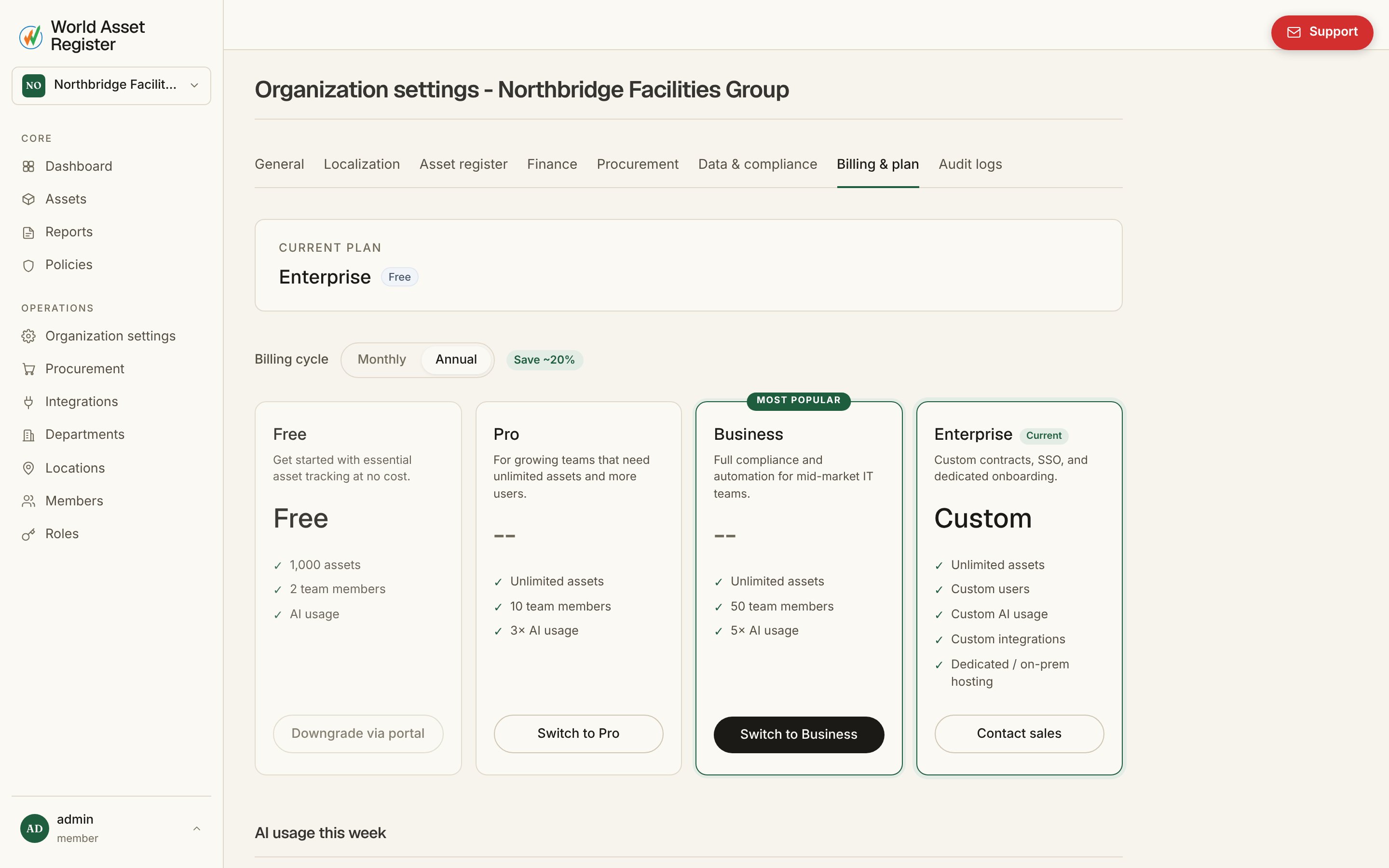
Enterprise also adds custom contracts, single sign-on, custom
integrations and dedicated or on-premise hosting, arranged directly
rather than self-served.
Only members who can log in — anyone who has accepted an invite, plus
anyone with a pending one — count toward a plan’s Members limit.
Non-user directory entries (see
People and departments) are unlimited
on every plan, including Free.
Prices display in your local currency automatically, detected from your
browser, though billing itself runs in AUD.
AI usage
Each plan’s AI allowance resets monthly. The billing page shows how much of this month’s allowance you’ve used and when it resets. If you run out before the reset, you can buy a usage pack to keep going. Purchased usage doesn’t expire, so it carries over month to month until it’s used, unlike the plan’s own monthly allowance.Buying a usage pack
Once your monthly allowance and any already-purchased usage pack are both used up, further AI requests are blocked and you’ll see:AI monthly limit reached. Buy more AI credits or upgrade your plan to keep going.From that point, the billing page offers three one-off usage packs — each a single Stripe Checkout payment, not a new subscription:
The dollar figures above are the AI spend allowance each pack grants,
tracked internally in USD regardless of what you’re actually charged for
it. For the price you pay — billed in AUD, and set in Stripe rather
than in this manual, so it can change without a documentation update —
see the usage-pack buttons on the billing page itself.
Buying a pack requires the same billing.manage permission needed to
change your plan or open the billing portal. Purchased credit is only
drawn down once the current month’s plan allowance is exhausted, never
before, and — as above — it doesn’t expire.
Usage packs aren’t offered on the Enterprise plan, which has no monthly
AI limit to run out of.