
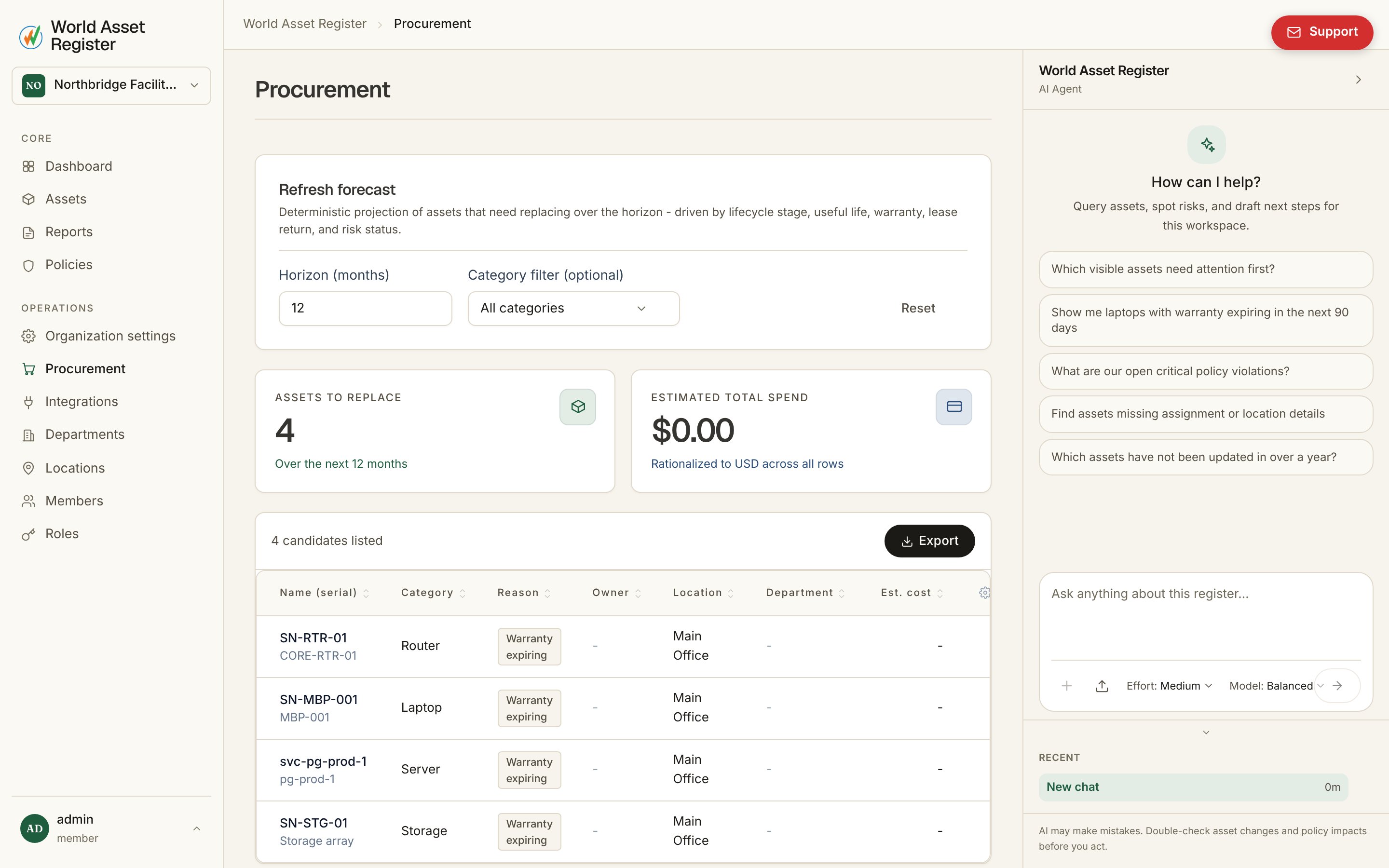
Procurement turns your register into a forward-looking replacement plan: a deterministic projection of which assets will need replacing over a horizon you choose, driven by lifecycle stage, useful life, warranty expiry, lease return dates and risk status. Procurement forecast

Running the forecast

Set a horizon in months and, optionally, a category filter, then hit Refresh forecast. The result is a candidate list: every asset the model expects to need replacing within that window, with its reason (warranty expiring, useful life ending, and so on), owner, location, department and estimated cost. Add or remove columns the same way you do on the asset register. The top of the page summarises the total number of assets to replace and the estimated total spend, rationalised to one currency across every row so the number is meaningful even for a register spanning several currencies.

Exporting the forecast

Export downloads the current candidate list, so it can be shared with finance or dropped into a budget planning process outside the product.

Configuring the forecast

Three settings behind the forecast live under Organisation → Procurement (see Organisation settings): which procurement reasons the model considers, which cost figures it draws from, and the inflation projection applied to future cost estimates.