> ## Documentation Index
> Fetch the complete documentation index at: https://docs.worldassetregister.com/llms.txt
> Use this file to discover all available pages before exploring further.
# People and departments
> The directory behind owners, custodians and assignments
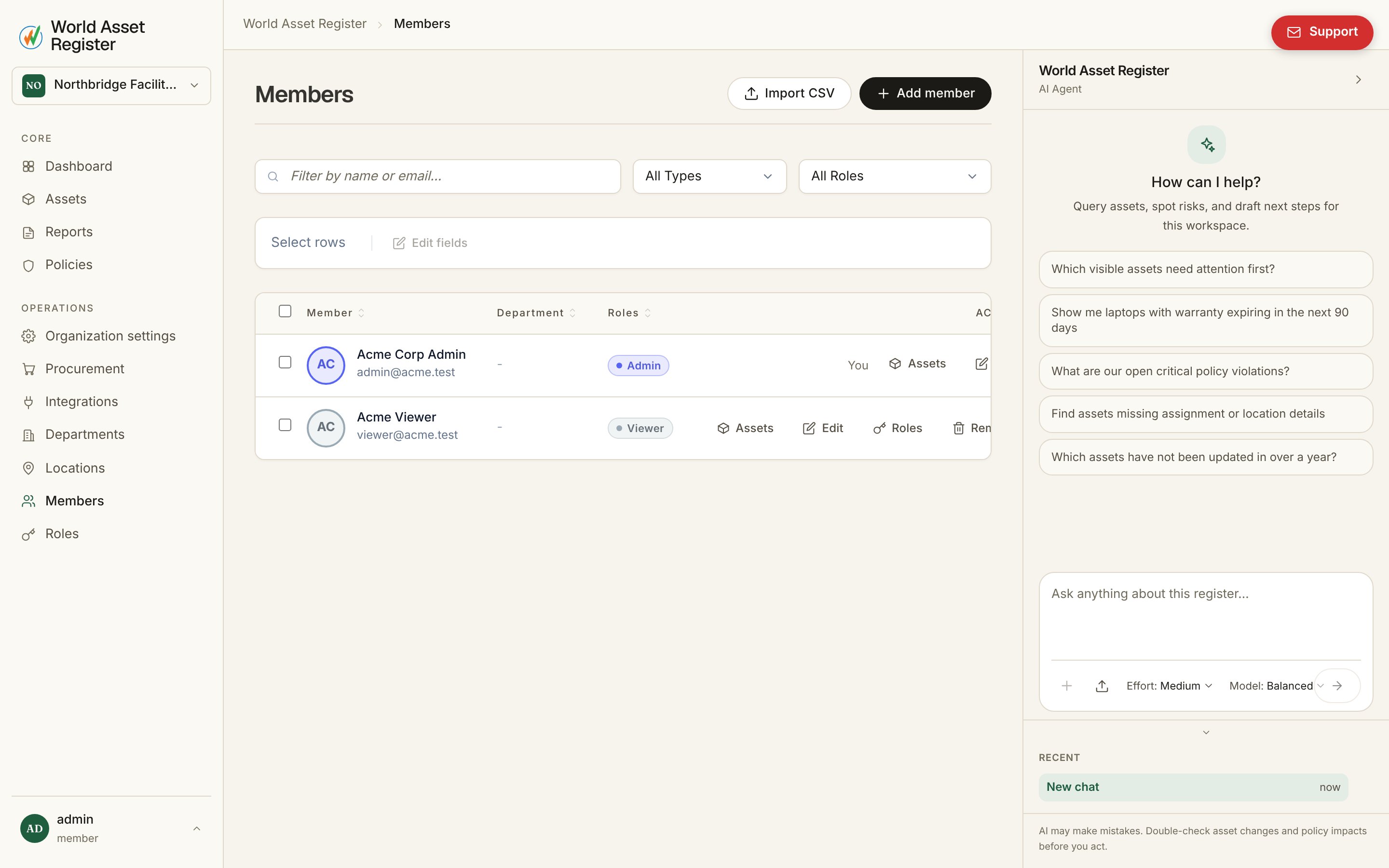
Assets are held by people, and people belong to departments. **Members**
in the sidebar is your whole people directory, not just the people who
log in.
 ## Two kinds of member
**Invite user** sends a real invitation: an email, a role, and once
accepted, a login. **Add non-user member** creates a directory-only
person (name, email, employee ID) who can be an asset's owner or
custodian without ever holding an account. Both are visible right on the
list. Members without a login show a **No login** badge instead of a
role.
## Two kinds of member
**Invite user** sends a real invitation: an email, a role, and once
accepted, a login. **Add non-user member** creates a directory-only
person (name, email, employee ID) who can be an asset's owner or
custodian without ever holding an account. Both are visible right on the
list. Members without a login show a **No login** badge instead of a
role.
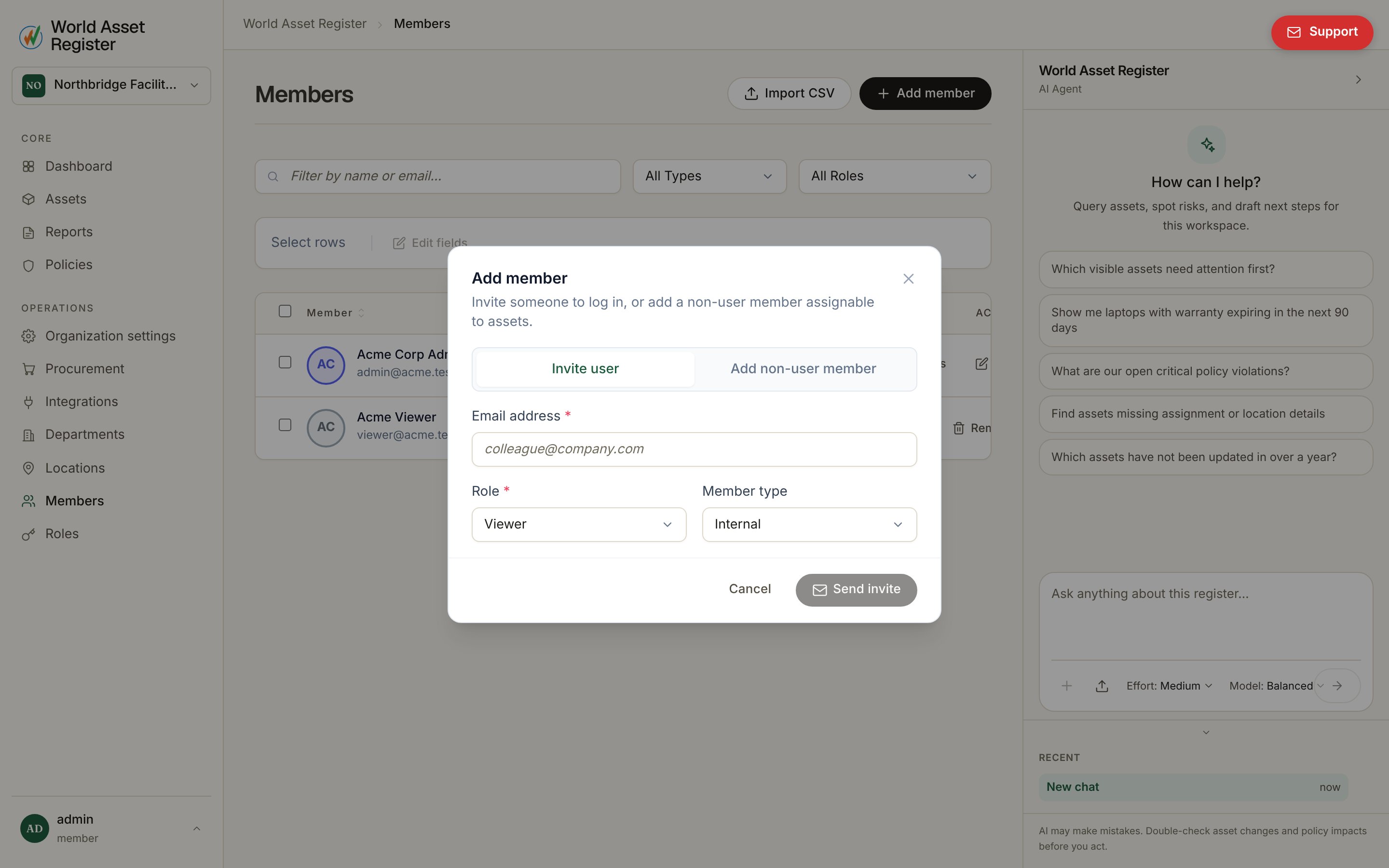 Either kind can be marked **Internal** or **External**, useful for
telling employees apart from contractors, vendors and other outsiders in
filters and reports, and assigned to a department.
## Departments
Either kind can be marked **Internal** or **External**, useful for
telling employees apart from contractors, vendors and other outsiders in
filters and reports, and assigned to a department.
## Departments
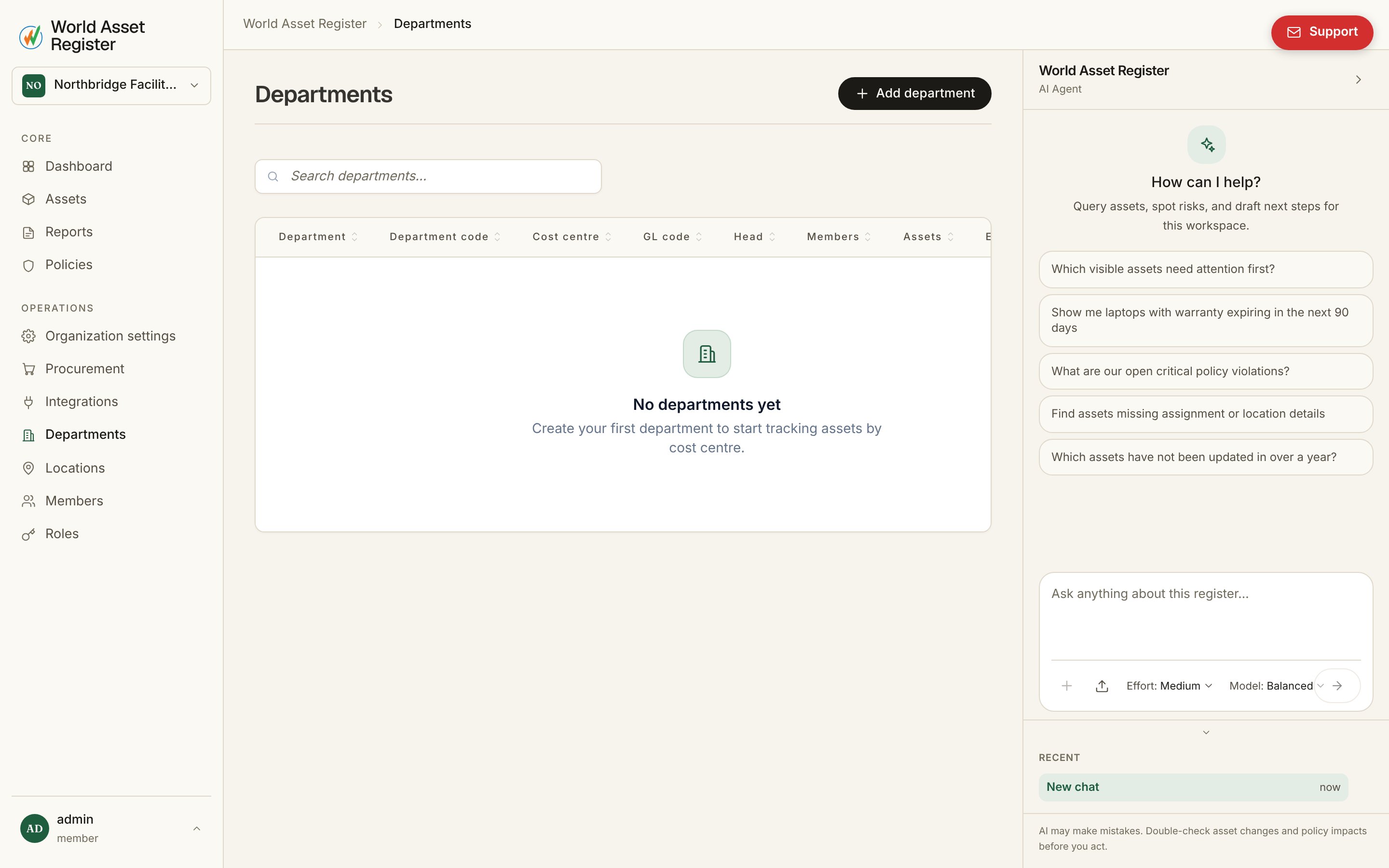 Departments carry the fields finance teams actually need: a department
code, **cost centre**, **GL code**, and a department head, plus, like
locations, an **expected asset count** to reconcile against what's
actually assigned. Clicking **Assets** on a department's row shows
everything assigned to it without leaving the list.
Departments group people (for headcount, ownership and reporting) the way
categories group assets. Set once, useful everywhere: filters,
[policies](/operate/policies) and [reports](/operate/reports) can all
condition on department.
## Importing your directory
For a large team, **Members → Import** runs the same kind of wizard as
[asset import](/assets/importing-data). Upload a CSV export, map its
columns to member fields, review a dry run, then commit. This builds your
whole directory in one pass instead of one invite at a time.
Departments carry the fields finance teams actually need: a department
code, **cost centre**, **GL code**, and a department head, plus, like
locations, an **expected asset count** to reconcile against what's
actually assigned. Clicking **Assets** on a department's row shows
everything assigned to it without leaving the list.
Departments group people (for headcount, ownership and reporting) the way
categories group assets. Set once, useful everywhere: filters,
[policies](/operate/policies) and [reports](/operate/reports) can all
condition on department.
## Importing your directory
For a large team, **Members → Import** runs the same kind of wizard as
[asset import](/assets/importing-data). Upload a CSV export, map its
columns to member fields, review a dry run, then commit. This builds your
whole directory in one pass instead of one invite at a time.